Choosing a standing desk looks easy until you open Amazon and find fifty models that, on paper, all say the same thing: “height adjustable”, “dual motor”, “memory presets”. I was there. I spent almost a year reading reviews before buying my first standing desk in March 2024, and I got wrong things that now seem obvious. This guide is what I wish I had read then: what to actually look at, in what order, and how not to overpay for extras you will never use.
I have worked from home full time since 2019, so I rack up around 8 hours a day in the same 9 m² office in Rubí (Barcelona). My desk is a FlexiSpot E7 bamboo, 140×70 cm, with more than 1,500 up-and-down cycles behind it. I do not work standing all morning (nobody does); I raise it about 2 hours a day across three or four changes. With that real use I have learned which features you notice daily and which are marketing. If you would rather skip the theory, at the end I leave the shortcut: our standing desk finder asks four questions and suggests the three models that fit you best.
Is a standing desk worth it?
Before the “how”, the “why”. A standing desk does not cure back pain: it is a tool that lowers the friction to move. The Cornell University Ergonomics Web has argued for sit/stand alternation for over a decade. The key word is alternate: the desk helps only if you actually raise and lower it.
- It is worth it if you work from home several hours a day, struggle to sit still, or already carry lower-back or neck strain.
- It is not worth it if you use the desk for an odd hour a day or expect a magic fix that saves you from moving: no piece of furniture does that.
If you are unsure, I have an honest look at the real pros and cons after two years of use before you spend the money.
Manual, electric or frame only: which type to choose
There are three formats, and it helps to be clear from the start:
- Electric complete (desktop included). Plug it in and it works. It is the simplest option and the one I recommend to most people. Entry-level examples include the DEVAISE 120×60 or the SONGMICS LSD134.
- Frame only (electric, no desktop). You buy the frame and add your own top (or an IKEA one, or the one you already had). Ideal if you want a specific size or material, or an L-shaped setup. The Duronic TM61 is a dual-motor frame example.
- Manual (crank). Cheaper and no electronics, but raising and lowering takes 30-40 seconds of cranking. That friction means almost everyone ends up leaving it fixed. I only recommend it if you will barely move it.
As a rule: if you do not have a clear reason to choose the desktop separately, go electric complete.
The 5 criteria that really matter (in order)
This is where a good purchase is decided. Look at them in this order:
1. Height range
First, because if the desk does not reach your standing height, nothing else matters. A good range runs from about 62-72 cm (seated) to 118-125 cm (standing). The taller or shorter you are, the more it matters. Over 1.85 m, look for a top above 120 cm; under 1.65 m, one that drops below 68 cm.
2. Motor type: single or dual
- Single motor: cheaper, slower and wobbles with uneven loads (a heavy monitor on one side). Fine for light use.
- Dual motor: faster, quieter and handles unevenly distributed weight better. If you will switch several times a day or load monitors, it is the difference between using it and leaving it fixed.
3. Load capacity
Entry-level holds 70-80 kg; mid-range 100 kg; premium reaches 160 kg. A normal setup (monitor, laptop, keyboard, accessories) weighs 15-25 kg, so almost anything is plenty. But if you use a clamp monitor arm or a heavy ultrawide, aim for 100 kg minimum for margin.
4. Stability at full height
The figure that appears least on spec sheets and shows up most in real use. At standing height, a cheap desk wobbles when you type or move the mouse, especially with two monitors. Stability depends on the frame (3-stage columns and wide feet help) and the dual motor. If you want a stable desk, this is the criterion to watch.
5. The desktop: real size and material
For studying with books and a computer together, test your study desk layout before settling on width and depth.
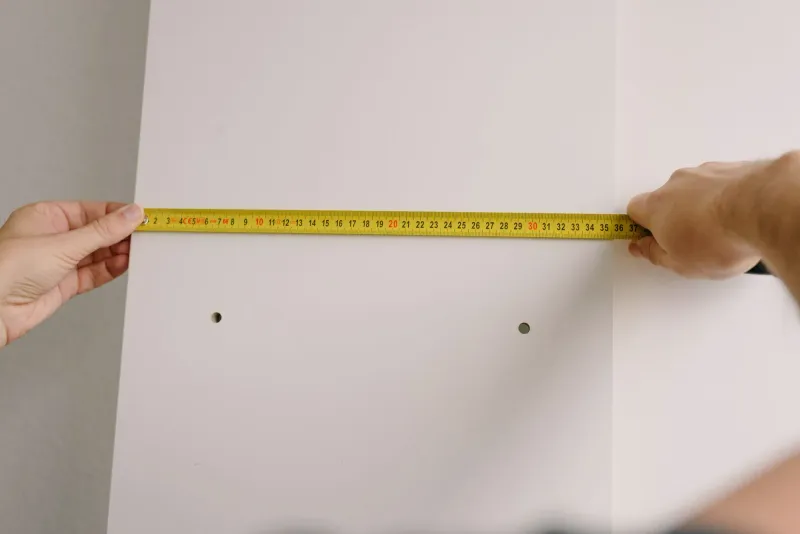
Measure your room before buying. For one monitor and a laptop, 120×60 cm is the functional minimum; for external monitor + laptop beside it, 140×70 cm; for two monitors or documents, 160×80 cm. Leave at least 15 cm of margin on each side for cables and ventilation. On material, chipboard does the job; bamboo and solid wood (as in the Oakywood Standing Desk Pro) are a step up in finish and price.
The extras — memory presets, anti-collision, USB port or built-in sockets — are nice, but they come after the above. You will use the presets daily; anti-collision helps with kids or pets; sockets/USB are convenient but should not decide the purchase.
How to calculate your correct height
A standing desk is useless if you leave it at a height that wrecks your shoulders. The quick way:
- Seated, feet flat on the floor, elbows at 90°: measure floor to elbow. That is your seated height (for most, 68-76 cm).
- Standing, elbows also at 90°: measure floor to elbow again (usually 100-118 cm by height).
- Check the desk’s range covers both and save them to the presets.
I expand on this, with a height-by-height table, in the correct desk and chair height guide.
The 20-8-2 rule: how long to stand
A very common question: how long should you stand? The most cited guideline is the 20-8-2 rule: for every half hour, about 20 minutes sitting, 8 standing and 2 moving (stand up, stretch, walk). It is not dogma (the exact number does not matter): the idea is not spending hours in the same posture. A standing desk with presets makes sticking to it as easy as pressing a button, which is why it works.
How much to spend: budget, mid or premium
- Budget (under €150): single-motor electric complete desks, 70-80 kg, to start without risk. Examples: DEVAISE 120×60, SONGMICS LSD134.
- Mid (€150-400): dual motor, 100-160 kg, presets and better stability. The sweet spot for daily remote work. Examples: FlexiSpot E7, Maidesite T2 Pro Plus, Duronic TM61.
- Premium (over €500): bamboo or solid wood, design finish, long warranties. Examples: FlexiSpot Q8, Oakywood Standing Desk Pro, Eleva Pro.
The big quality jump is from budget to mid; from mid to premium you mostly pay for materials and design.
The shortcut: let the finder decide for you
If you have read this far and still cannot decide, that is normal: there are too many options. That is why we built the standing desk finder. You answer four questions (budget, what you value, hours of use and your space) and it compares the real specs of the whole catalog to give you your three best matches, without reading fifty product pages. And if you want to go straight to the priced comparison, we have the best electric standing desks reviewed one by one.
Choosing a standing desk well comes down to this: it reaches your height, the motor and load handle your use, it is stable up top, and the desktop fits your room. The rest are extras. Get those four right and you will not regret it.